Post Summary
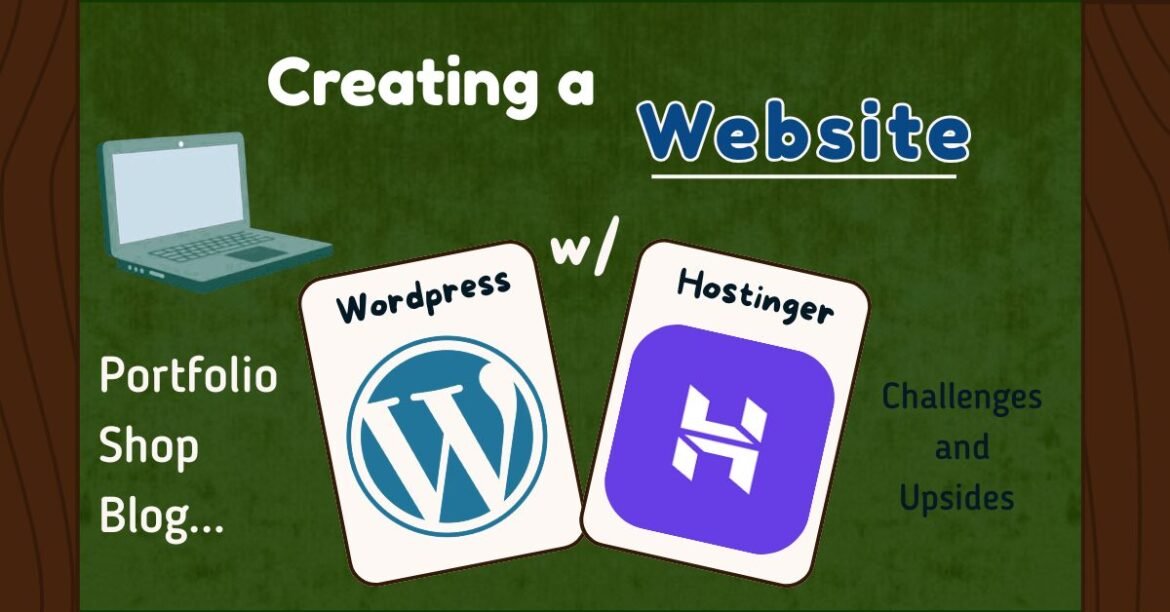
Building a website as a creative can feel overwhelming with so many platforms to choose from. This post breaks down what to consider when using WordPress and Hostinger. Whether you’re starting a blog, creating a portfolio, or planning to sell digital products, this guide highlights the key factors that can help you build a website that supports your creative goals.
Table of Contents
- Introduction
- Tips for Web Building
- WordPress
- Your Theme Matters — A Lot
- Plugins Are Everything
- There Are 10+ Ways to Do One Thing
- Mobile Design Isn’t Always Intuitive
- Analytics Are Important
- WooCommerce For Online Shop
- Hostinger Pros & Cons
- Conclusion
Introduction
There are so many services out there for developing your own website, GoDaddy, Wix, Squarespace, Framer; and as a creative, it’s important to choose one that effectively helps you reach your goals — whether that’s receiving more clients, creating a space for a digital portfolio, selling your artwork, or even starting your own blog like this one.
So here, I’ll be sharing my experience using WordPress and Hostinger to create my blog, featuring the pros, cons, and things I wished I knew beforehand…
This post is not sponsored or affiliated with any of these platforms.
Tips for Web Building
WordPress
First off, I chose to build my website with WordPress because it’s the platform most commonly used and recommended by bloggers.
I actually started building my website months before launching my blog (around the beginning of January 2025) using a local hosting server on my laptop. This allowed me to learn the software, explore different features, and experiment with layouts before fully committing to purchasing hosting and publishing on the web for anyone to find.
Clarification: You can use WordPress as your hosting platform and build your website directly with it, or you can use another hosting site like Bluehost or Hostinger (which I use), and still build your website using WordPress.
A Learning Curve
One downside of WordPress is that it isn’t exactly beginner-friendly. It’s not a simple “drag, drop, and play” type of builder. If you’re interested in using it, I highly recommend setting aside intentional time to really learn where everything is and how it works.
That said, one major pro? Once you master it, you truly feel like one.
1. Your Theme Matters — A Lot
The theme(or templete) you choose shapes your entire website, so choose wisely.
The first time around, I picked a template that didn’t offer many of the layouts or features I was interested in. I ended up reconstructing most of the site to fit my vision. After launching it, I realized I still didn’t love it — so I recently redesigned the entire site using a new theme (which might be a big no-no… but it’s already done!).
Different templates come with different editing features and compatible plugins. Choosing the right one for your goals and style makes a huge difference.
There is also an AI website builder option when you first create a domain. However, as mentioned in many web design resources, it’s not always best to rely on AI for a fully designed template if your looking for something unique in particular for your design.
2. Plugins Are Everything
WordPress is essentially a bare-bones platform — which is both its strength and its challenge. To truly customize your site, plugins are essential.
For example, Elementor is a popular plugin for editing and organizing pages. I’ve attempted to incorporate it into my website, but many of its best features require the paid version, and fully learning it takes time.
There are also more focused plugins that handle specific tasks, such as:
- Backup plugins that automatically secure your website
- Image optimization plugins to ensure your images are high quality and properly sized for mobile and desktop
- SEO plugins to improve search visibility
Plugins can make building and running your site much easier — but they also require learning and thoughtful selection.
3. There Are 10+ Ways to Do One Thing
Depending on your theme and installed plugins, your editing experience may look completely different from someone else’s.
WordPress isn’t very straightforward, and everyone’s website can function uniquely based on how much customization they add. This is where you prioritize your needs and find the combination of tools that works best for you — especially if your goal is increasing conversions or engagement.
4. Mobile Design Isn’t Always Intuitive
WordPress design is primarily catered toward desktop editing. It’s not immediately obvious how your site will look on mobile unless you preview it in mobile or tablet view.
Converting a desktop layout into a smooth mobile experience — especially reorganizing headers and sections — can be challenging.
Mobile design is incredibly important, since many users browse on their phones first. I do think WordPress themes could improve in offering more seamless, automatically adaptable mobile layouts.
5. Analytics Are Important
When you first create a website, it’s important to connect it to a platform that collects data to help guide your decisions.
You can easily link your site to Google Analytics for free and track:
- Active users
- Page views
- Event counts
- Real-time visitors
- Traffic sources (search engines, referrals, direct visits, etc.)
You can also integrate Google Ads to promote your website (though I personally haven’t used paid advertising yet).
Understanding your analytics helps you improve your design, content, and overall strategy.
WooCommerce For Online Shop
If you want to add a shop to WordPress, you’ll need to install the WooCommerce plugin.
I’ve been in the process of creating digital products to sell online, and I’ve found it somewhat complicated to design product pages within WordPress.
Even though WordPress already has established pages and posts, adding and customizing product pages through WooCommerce can feel unnecessarily complex without clear instructions.
When you install the plugin, it automatically generates the necessary shop pages using your theme’s templates. However, editing those pages can be tricky. Sometimes you need to edit the template itself instead of the actual page — or even delete and recreate pages to get the layout you want.
It’s doable, but it definitely requires patience.
Hostinger
In addition to WordPress, I’ve been using Hostinger for 6+ months now, and overall, it’s been pretty straightforward.
Like WordPress, Hostinger also offers an AI website builder, but I wouldn’t recommend relying on it entirely for a fully customized design.
Pros
- You get a domain and can manage multiple sites in one place
- Free email with your domain
- Daily backups
- Desktop and mobile speed tests
- Access to Hostinger AI tools and WordPress integrations
Also if you have a shop set up with Woocommerce, you can utilize Hostinger AI to develop your products description.
Cons
- Website staging (redesigning a site offline before publishing) can be a bit finicky. If you make too many changes, and try to upload them to your live site — so always back up beforehand.
- Migrating a website from another platform can be confusing and may require watching tutorials.
Conclusion
Creating a website can be as simple as using AI tools or as complex as building it from scratch with code.
What truly matters is that you’re happy with the final result — and that it helps you achieve the conversions or connections you’re looking for.
As creatives, it’s important to put ourselves out there, build community, and make meaningful connections. A website is one of the most powerful ways to do that.
+ Follow us for reminders on when new journal entries come out!
Until next time, my fellow anomalies. Stay Anomalous. Signing off…
Amirah
LATEST NEWS

Follow For Updates on Future Content
Pintrest: @theanomalysjournal
Instagram / Facebook : @urgirlamirahjocelyn
Spotify: @theanomalyspodcast
Youtube: @ajamadmired
Leave a Reply